CadenceLink support
Questions, problems or a machine that won’t connect? Email admin@chadava.com.
Which machines work?
Treadmills, indoor and spin bikes, rowers, ellipticals and climbers that support the Bluetooth fitness machine standard, called FTMS (Fitness Machine Service). Many recent gym and home machines do. Machines that only use their own brand’s app may not appear.
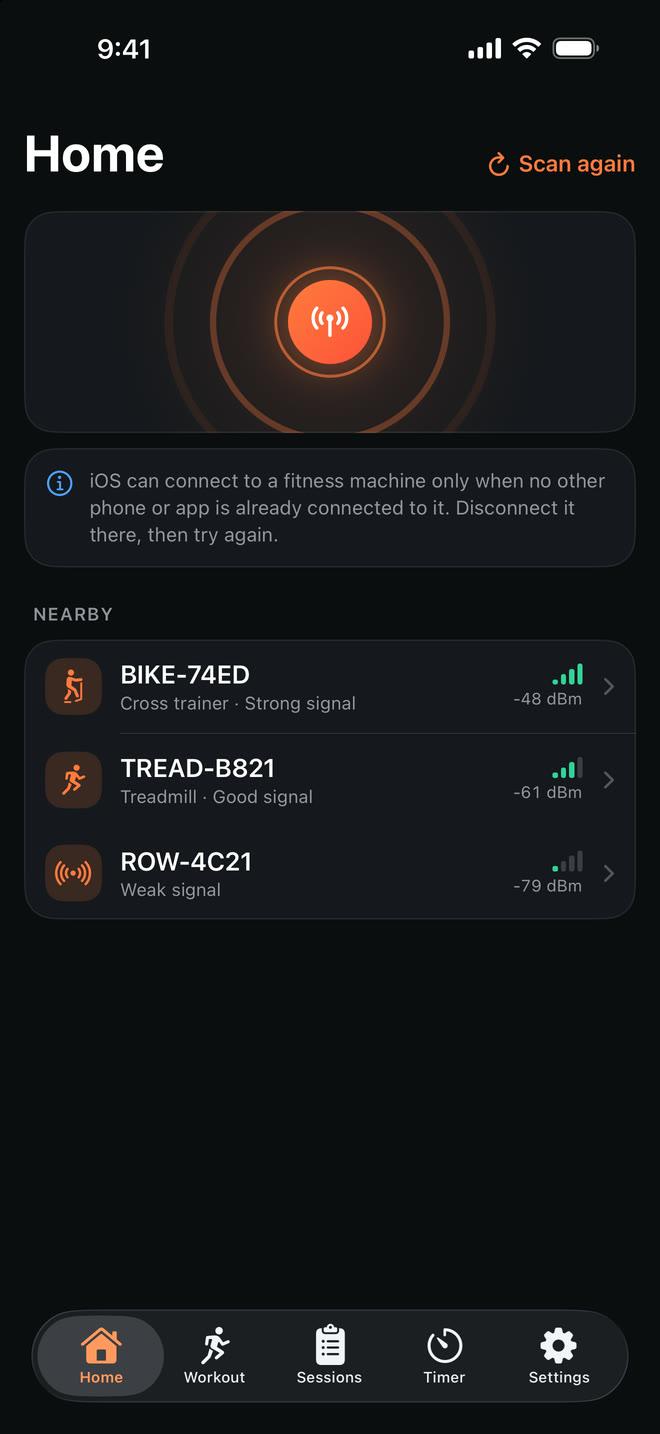
My machine doesn’t appear in Home
- Check that Bluetooth is on and that CadenceLink is allowed to use it (Settings → Privacy & Security → Bluetooth).
- A machine can be connected to only one phone or app at a time. Disconnect it in any other app, or ask the person who used it last.
- Some machines only advertise Bluetooth while their console is awake. Press a key on the console, then tap Scan again.
Heart rate shows a fixed number
Many machines send a placeholder heart rate when no strap is connected. Pair a Bluetooth heart-rate monitor in Settings: a chest strap, an armband, or a fitness tracker with heart-rate broadcasting turned on. Each saved session notes where its heart rate came from.
Saving to Apple Health
Tap Save to Health after a workout and allow CadenceLink to write workouts. You can change this later in the Health app → Sharing → Apps → CadenceLink.
Sending us a diagnostic log
If a machine’s numbers look wrong, open Settings → Diagnostics, tap the export button next to that machine’s log and email it to us. Logs contain the machine’s Bluetooth data and connection events, but no personal details and no serial number.
Safety
CadenceLink reads the machine and does not control it. Always use the machine’s own controls and safety key.